How Does Wi-Fi Actually Work?
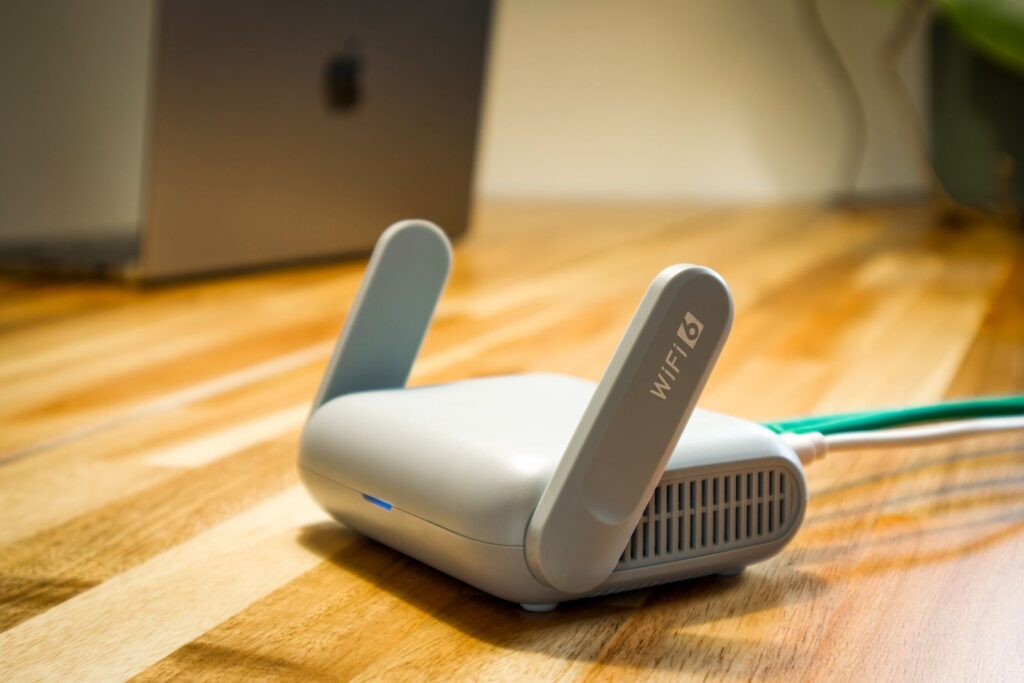
Short answer: Wi-Fi is a short-range radio link. Your phone or laptop and a nearby router turn data into radio waves, send them to each other through the air, and turn them back into data at the other end. The router is the go-between: it also connects to your internet service, so the data your device sends over Wi-Fi can travel on to the wider internet. Wi-Fi is the wireless hop inside your home, not the internet itself.
Key takeaways
- Wi-Fi sends data as radio waves, in bands around 2.4, 5 and 6 GHz. Lower bands generally reach further through walls, while higher bands offer more room for traffic.
- A router creates the local wireless network and links it to the internet connection. Wi-Fi and the internet are different things.
- Devices share the airwaves by taking turns, so crowded channels and neighbouring networks can slow everyone down.
- Encryption (WPA2 or WPA3) scrambles the data in the air so passers-by cannot read it.
- Names like Wi-Fi 6, 6E and 7 are generation labels from the Wi-Fi Alliance that map to technical IEEE standards.
Radio waves carrying data
Radio waves are part of the same family as visible light, but with much longer wavelengths. NASA describes radio waves as having the longest wavelengths in the electromagnetic spectrum, and they are what a car radio picks up and converts into sound. Wi-Fi uses radio waves in a similar spirit, but instead of sound it carries digital data: the ones and zeros that make up a web page, a video or a message.
To send that data, the transmitter shapes a radio wave in a pattern that stands for the ones and zeros. The receiver listens for the wave, decodes the pattern, and rebuilds the original data. Your device and your router each do both jobs, talking and listening, many times a second.
The wave is described by its frequency, how many times it oscillates per second. One gigahertz (GHz) is a billion cycles per second. A higher frequency means a shorter wavelength.
What the router does
A wireless router does two jobs at once. First, it broadcasts the signal that your phones, laptops and smart devices connect to, forming your local network. Second, it connects that local network to the outside world through your internet service. The Federal Trade Commission describes a wireless router as broadcasting a signal that devices use to get on the internet, and CISA describes the router as the device that lets your devices connect wirelessly to the internet.
Many homes have a separate box or a built-in section that brings in the internet connection from the provider. In that setup, the router sits between your devices and that connection. When you load a web page, your request goes by radio to the router, the router passes it along your internet connection, and the reply comes back the same way in reverse.
The three bands: range versus room
Wi-Fi uses unlicensed radio bands, meaning anyone can use them if their equipment follows the rules. Three are in common use today: 2.4 GHz, 5 GHz and 6 GHz. Each is like a road with its own number of lanes.
- 2.4 GHz is the original and has the fewest lanes. It is also shared with other gadgets.
- 5 GHz has many more channels, so there is less crowding. A university networking text notes that it penetrates walls less well, which shortens its effective range.
- 6 GHz is the newest. When the Wi-Fi Alliance began certifying Wi-Fi 6E devices in January 2021, it described the band as offering up to seven 160 MHz channels, a lot of room for traffic.
The trade-off is simple to state. A lower band tends to reach further and get through walls better, but it has less room and is often more crowded. A higher band has more room and can carry more data to nearby devices, but the signal does not get through walls as well.
Channels and interference
Each band is divided into channels. In 2.4 GHz, the official channels are spaced closely, but a transmitter takes up several of them at once. As a result, only channels 1, 6 and 11 are the usual choices that do not overlap with each other. Nearby routers on the same or overlapping channels still interfere.
Interference does not mean the signals cancel out. It means the airwaves are shared and devices must take turns. Wi-Fi handles this with polite etiquette: a device listens before it talks, and if the channel is busy, it waits a random moment. The same networking text explains that Wi-Fi uses collision avoidance, with random waits and acknowledgements, because a radio cannot reliably detect a collision while it is transmitting. If no acknowledgement arrives, the sender tries again.
Other things share the 2.4 GHz band too. The text notes that microwave ovens operate in that band and can noticeably disrupt Wi-Fi when they sit between the sender and the receiver.
Encryption: keeping the air private
Radio waves spread out in all directions, so anyone within range can pick up the signal. Encryption scrambles the data so that what they pick up is gibberish. WPA stands for Wi-Fi Protected Access, a family of security technologies from the Wi-Fi Alliance. When the Alliance introduced WPA3 in 2018, it said the personal version gives stronger protection against password-guessing attempts than before, including when people pick weaker passwords.
The FTC advises setting a router to WPA3 Personal, or WPA2 Personal if WPA3 is not available, and treating the older WPA and WEP as outdated. CISA similarly names WPA3 Personal or WPA2 with AES as the two forms it considers safe. Both agencies also recommend changing the default admin password and keeping router software up to date.
Wi-Fi 6, 6E and 7: what the names mean
Technical standards for Wi-Fi come from the IEEE, which gives them names such as 802.11ax. In 2018, the Wi-Fi Alliance introduced simpler numbered names: Wi-Fi 4 for 802.11n, Wi-Fi 5 for 802.11ac and Wi-Fi 6 for 802.11ax.
| Label | Technical name | What to know |
|---|---|---|
| Wi-Fi 4 | IEEE 802.11n (High Throughput) | Named retroactively by the Wi-Fi Alliance in 2018. |
| Wi-Fi 5 | IEEE 802.11ac (Very High Throughput) | Named retroactively in 2018. |
| Wi-Fi 6 | IEEE 802.11ax (High Efficiency) | Introduced by the Wi-Fi Alliance in October 2018. |
| Wi-Fi 6E | Wi-Fi 6 extended into the 6 GHz band | Announced in January 2020 as a name for Wi-Fi 6 devices that can use 6 GHz; certification began in January 2021. |
| Wi-Fi 7 | IEEE 802.11be (Extremely High Throughput) | Works across 2.4, 5 and 6 GHz; IEEE records approval in September 2024 and publication in July 2025. |
The Wi-Fi Alliance describes Wi-Fi 7 as adding 320 MHz channels in the 6 GHz band, which it says roughly doubles Wi-Fi 6 throughput, and multi-link operation, which spreads traffic across links for better speed and reliability. These are the Alliance’s claims about its certification, and your real-world results depend on your devices, building and neighbours.
The “E” in 6E is the Alliance’s label for the 6 GHz extension. It is not a separate IEEE standard. A newer generation is not automatically faster in your home: both your router and your device need to support it, and the slower of the two sets the pace.
A common misconception: Wi-Fi is not the internet
People often say “the Wi-Fi is down” when they mean the internet is down. They are different layers. Wi-Fi is the wireless link between your device and your router. The internet is the global network your provider connects you to. If your router and devices can talk to each other but the connection to your provider is broken, you will still be connected to Wi-Fi with no internet.
The distinction helps with troubleshooting. If one device cannot connect but others can, look at that device. If every device has Wi-Fi but no internet, the problem is probably the connection between the router and your provider.
Things to notice or try
- Walk around your home with a phone and note where the signal drops. Try the same spots on the 2.4 GHz and 5 GHz networks if your router names them separately.
- If your connection slows while using a microwave oven, you may be seeing 2.4 GHz interference.
- Check which security mode your router uses. WPA3 Personal or WPA2 Personal are the settings that the FTC and CISA name.
- Change the default router admin password, which CISA and the FTC both recommend, and keep router firmware up to date.
- Check your device’s settings to see which Wi-Fi generation and band it is actually using.
Frequently asked questions
Is Wi-Fi the same as the internet?
No. Wi-Fi is the wireless connection between your devices and your router. The internet is the wider network your service provider connects you to.
Which band should I use, 2.4, 5 or 6 GHz?
It depends on distance and walls. Lower bands generally reach further, while higher bands have more room and are less crowded. Many people let their devices pick, and try the other band if a room has a weak signal.
Does a newer Wi-Fi generation always mean faster internet?
No. Your internet speed is limited by your service plan, and Wi-Fi speed depends on both your router and your device supporting the same generation. A newer router cannot make your provider’s connection faster.
Is Wi-Fi safe?
Encryption helps a great deal when it is set to WPA3 or WPA2 with a strong password. The FTC and CISA list steps that make a home network safer, including a strong passphrase, current firmware and a guest network for visitors.
Closing thought
Seen from the inside, Wi-Fi is a polite conversation held in shared airspace: devices shape radio waves, take turns, check that each message arrived, and hand traffic to the router that links them to the world.
Sources
- Radio Waves – NASA Science, NASA
- 4 Wireless LANs — An Introduction to Computer Networks, unicode-safer edition 2.0.11, Loyola University Chicago
- How To Secure Your Home Wi-Fi Network | Consumer Advice, Federal Trade Commission
- Module 5: Securing Your Home Wi-Fi | CISA, Cybersecurity and Infrastructure Security Agency
- Wi-Fi Alliance® introduces Wi-Fi CERTIFIED WPA3™ security, Wi-Fi Alliance
- Wi-Fi Alliance® introduces Wi-Fi 6, Wi-Fi Alliance
- Wi-Fi Alliance® brings Wi-Fi 6 into 6 GHz, Wi-Fi Alliance
- Wi-Fi Alliance® delivers Wi-Fi 6E certification program, Wi-Fi Alliance
- Wi-Fi® (MAC/PHY) | Wi-Fi Alliance, Wi-Fi Alliance
- IEEE 802.11, The Working Group Setting the Standards for Wireless LANs, IEEE
Last updated: November 2026. This article is general information, not technical advice.